
BringGo USA & CAN2.5.13 - App Store
You'll be able to see results in few seconds.
Publisher Description

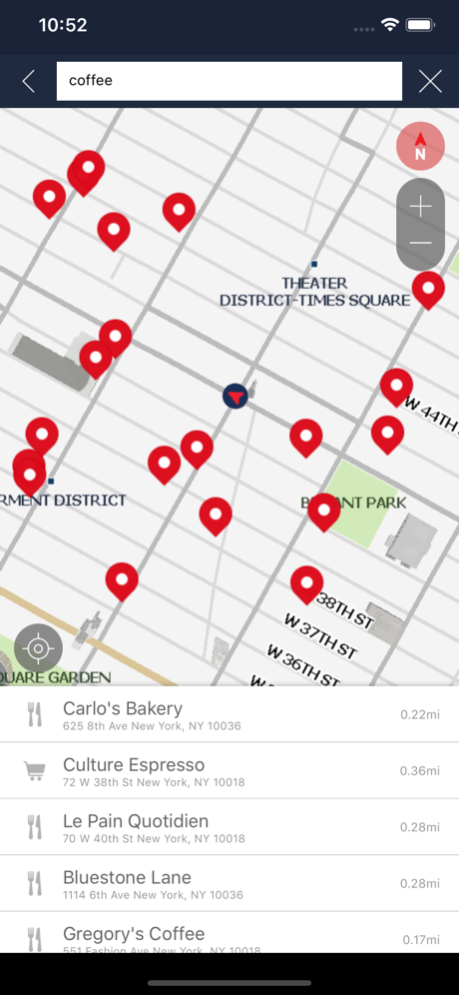
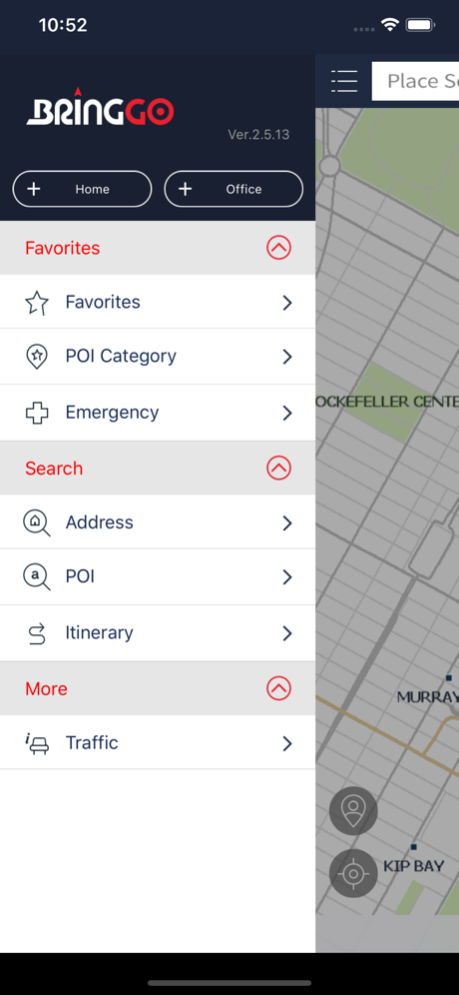
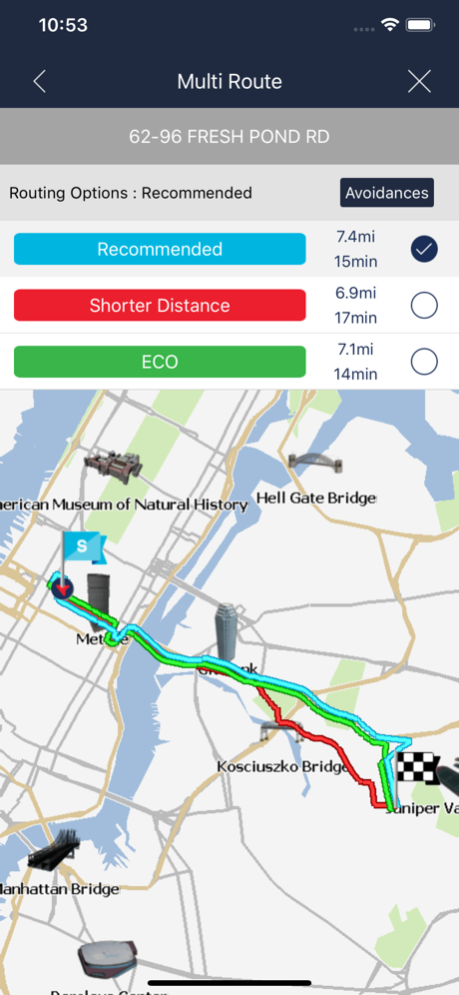
BringGo includes 30 days of access to Premium Navigation. After 30 days, you can opt for a Premium Navigation in-app purchase.
______________
CUSTOMER SUPPORT
We're here to help! If you have any issue with BringGo, please send an inquiry to our friendly support team.
http://bringgo.com/customer/feedback.php
______________
BringGo is a premium turn-by-turn navigation app for your smartphone. It is full of useful navigation features such as Text-To-Speech voice guidance, Lane Guidance, Signpost Display, Speed Limits, millions of onboard POIs and much more. Maps are stored on the smartphone for offline use.
3.5 GB of internal memory available is recommended prior to beginning the app download. Ideally, your phone should have 16 GB of total internal memory in order to use BringGo as well as other apps and services on your phone.
When you purchase the BringGo app, you will be downloading all the map data for the United States and Canada directly to your compatible smartphone. If you wish to reduce the amount of memory required, you may elect to individually download maps for the States/Provinces relevant to you. Unnecessary maps may be removed at a later date or additional maps may be downloaded as required through the map manager on the app.
______________
COMPATIBLE VEHICLES
The BringGo app is compatible with 2013 or later Chevrolet Spark, 2013 or later Chevrolet Sonic, and Chevrolet Trax (Canada only) vehicles equipped with the available MyLink radio. When your compatible smartphone is paired to a properly equipped compatible vehicle, the BringGo navigation screen will display on a color screen that is part of the vehicle's MyLink radio. If you purchased a compatible vehicle before this functionality is available, your vehicle will require a no-charge MyLink radio software update at your Chevrolet dealer to support in-vehicle use of the BringGo app. For more details about this exciting vehicle app integration or launch timing, please contact your dealer or call 1-855-4- Support.
______________
PREMIUM NAVIGATION FEATURES
• Turn-by-turn voice directions
• Find Places: millions of onboard POIs
• Stunning 3D landmarks
• Lane Guidance to show you the correct lane to be in
• Realistic Signpost Display
• Map data from NAVTEQ onboard
• Text-To-Speech voice guidance (speaks street names)
• Auto re-routing
• Multiple routing options; faster time, shorter distance, ECO
• Search by Address, Point on Map, ZIP and more
• POI Search
• Save and edit favorites
• Recent destinations
• Auto zooming (at intersection & on speed)
• Route Planning
• Route summary for trip information
• Speed Limit warning
• Current Location information
______________
MAP COVERAGE
United States, Canada, Puerto Rico, and Hawaii.
______________
IN-APP PURCHASES
1. Premium Navigation with Traffic (USD 49.99)*
Lifetime use of the navigation app and access to software updates. Real Time Traffic Information service is provided for three years. Please note that map updates are not available with this in-app purchase option.
2. Premium Navigation with Traffic and Map Updates (USD 59.99)*
Lifetime use of the navigation app and access to software updates. Real Time Traffic Information service is provided for three years. Annual map updates are available for three years; includes initial copy at time of purchase, and two update copies.
*Please refer to the IN APP PURCHASES section to view prices in local currency.
______________
GPS USAGE
Please note that continued use of GPS running in the background can dramatically decrease battery life.
May 7, 2019
Version 2.5.13
1. Applied updated and improved online search
2. Several minor bug fixes
About BringGo USA & CAN
The company that develops BringGo USA & CAN is Engis Technologies.Inc. The latest version released by its developer is 2.5.13.
To install BringGo USA & CAN on your iOS device, just click the green Continue To App button above to start the installation process. The app is listed on our website since 2019-05-07 and was downloaded 0 times. We have already checked if the download link is safe, however for your own protection we recommend that you scan the downloaded app with your antivirus. Your antivirus may detect the BringGo USA & CAN as malware if the download link is broken.
How to install BringGo USA & CAN on your iOS device:
- Click on the Continue To App button on our website. This will redirect you to the App Store.
- Once the BringGo USA & CAN is shown in the iTunes listing of your iOS device, you can start its download and installation. Tap on the GET button to the right of the app to start downloading it.
- If you are not logged-in the iOS appstore app, you'll be prompted for your your Apple ID and/or password.
- After BringGo USA & CAN is downloaded, you'll see an INSTALL button to the right. Tap on it to start the actual installation of the iOS app.
- Once installation is finished you can tap on the OPEN button to start it. Its icon will also be added to your device home screen.
Program Details
System requirements
Download information
Pricing
Version History
version 2.5.13
posted on 2019-05-07
May 7, 2019 Version 2.5.13
1. Applied updated and improved online search
2. Several minor bug fixes
Disclaimer
Official App Store Link
We do not host BringGo USA & CAN on our servers. We did not scan it for viruses, adware, spyware or other type of malware. This app is hosted by Apple and passed their terms and conditions to be listed there. We recommend caution when installing it.
The App Store link for BringGo USA & CAN is provided to you by apps112.com without any warranties, representations or guarantees of any kind, so access it at your own risk.
If you have questions regarding this particular app contact the publisher directly. For questions about the functionalities of apps112.com contact us.
